INVITING NEW MEMBERS TO YOUR CIRCLE
To add new Circle Members, the individual(s) you are inviting must be a part of The Policy Circle Community. Circle Leaders should first invite members using the Directory (Step 1), and then proceed to Step 2 if the individual is not found in the Directory.
Step 1: Invite New Circle Members Using the Community Directory:
-
-
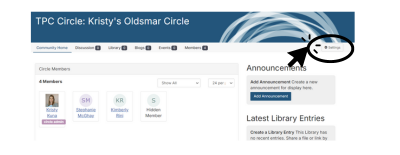
- From your Circle, click "Settings" in the Top Right in your Circle.
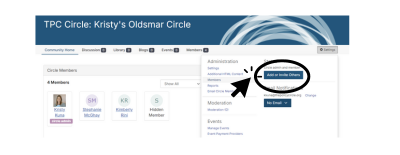
- Next, click the blue "Invite Others to Join" button in the Settings menu.
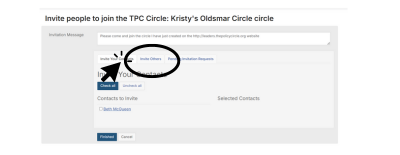
- Customize the pre-filled invitation that will be shared with your invitees.
- Next, select the "Invite Others" tab and search by name or email to locate the individual(s) whom you want to invite.
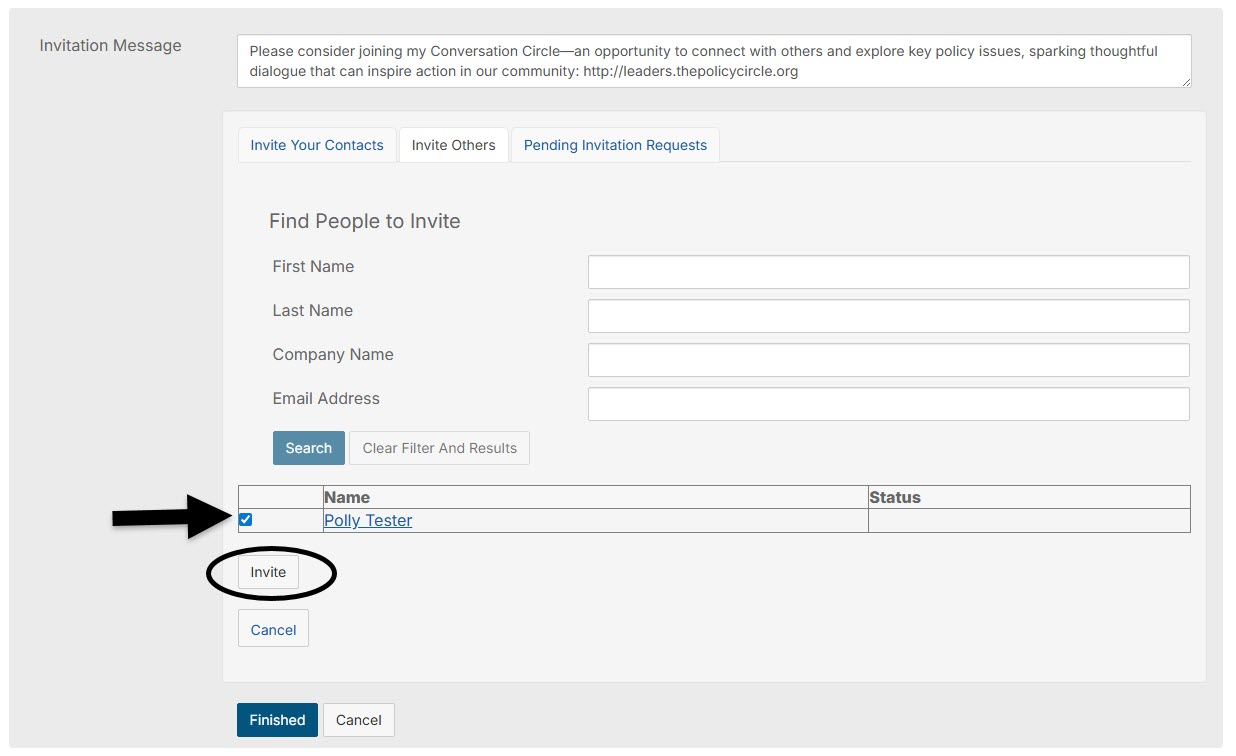
- If your invitee appears in the search, simply click the checkbox next to their name and select "Add Selected to Invite List."
- You can repeat this to add additional invitees. Once you have everyone in the Invite list, check the box next to each name, then press Invite.
- If the person you wish to invite does not appear in the search results, please proceed to Step 2.
Step 2: Invite the Individual to Join The Policy Circle Community
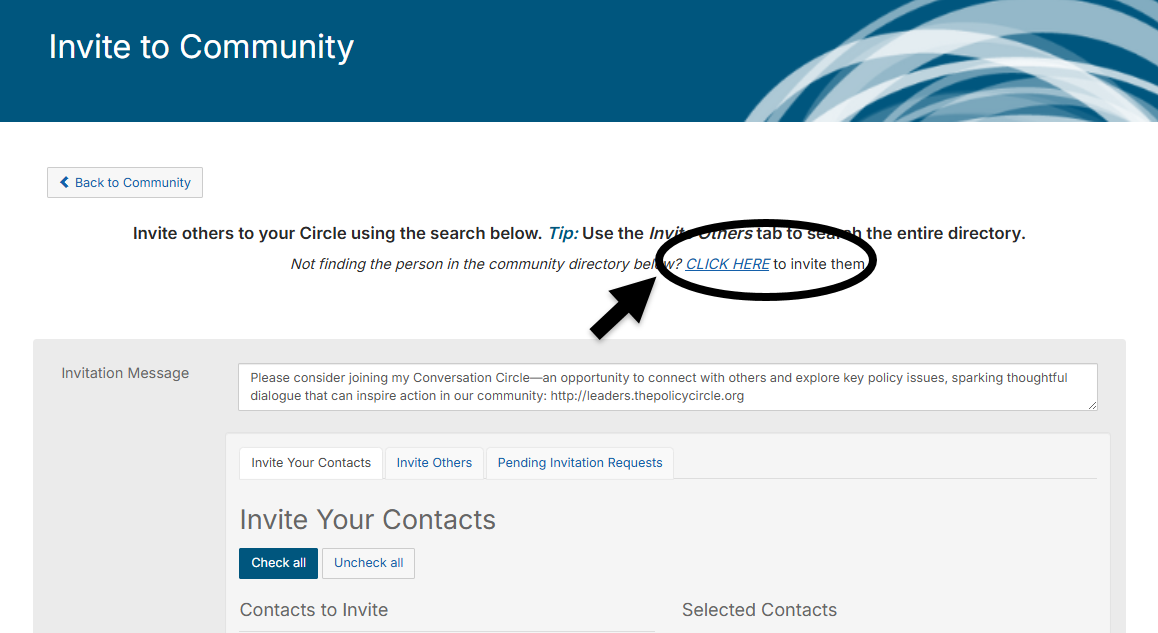
If the individual you want to invite does NOT appear in your invitation search results, they must first add themselves to The Policy Circle Community. To invite a new individual to be part of the Community, please use the link provided on the Invite to Community page.
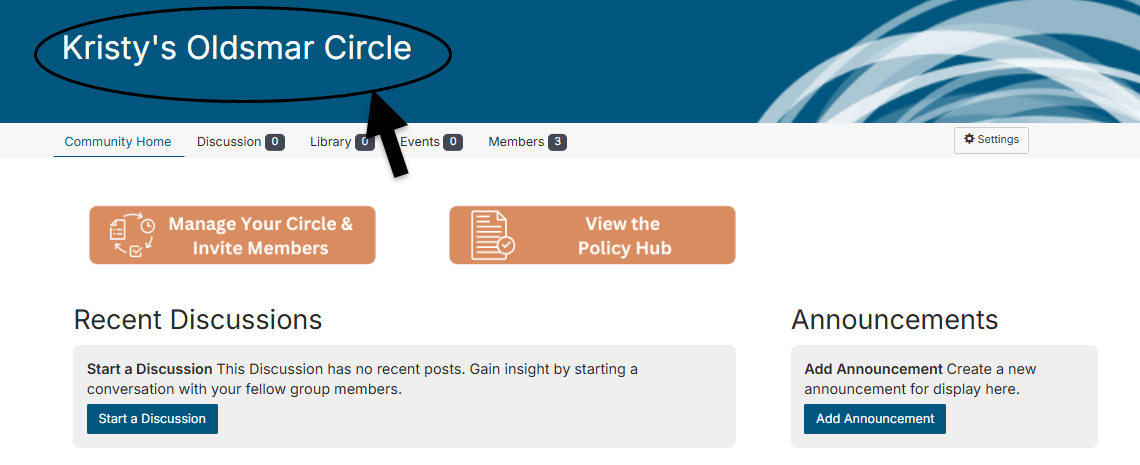
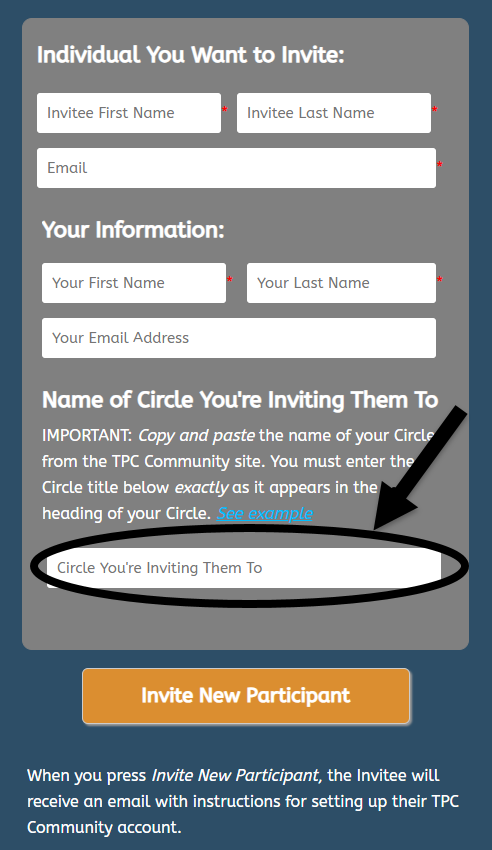
IMPORTANT: The name you enter for your Circle is critical to getting your newly invited member into your community. Please copy and paste the name of your Circle when inviting new members.
Copy the name here:
Paste the name here:
What Happens Next: The individual invited will receive an email from The Policy Circle inviting them to be part of The Policy Circle Community. Once they complete the form to be added to the Community, the Circle Leader will receive an email notification and they will be added to the Circle within the hour.
MANAGING/REMOVING CIRCLE MEMBERS
To manage/remove members of your Circle, navigate to "Settings" on the Circle homepage.
Next, under "Administration," select "Members."
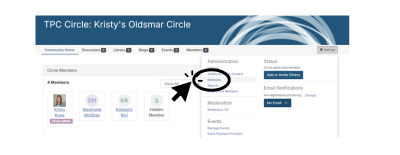
Here, you will be able to manage and remove Circle Members.